Welcome at the top!
Sharp X68000 XVI Text VRAM Repair
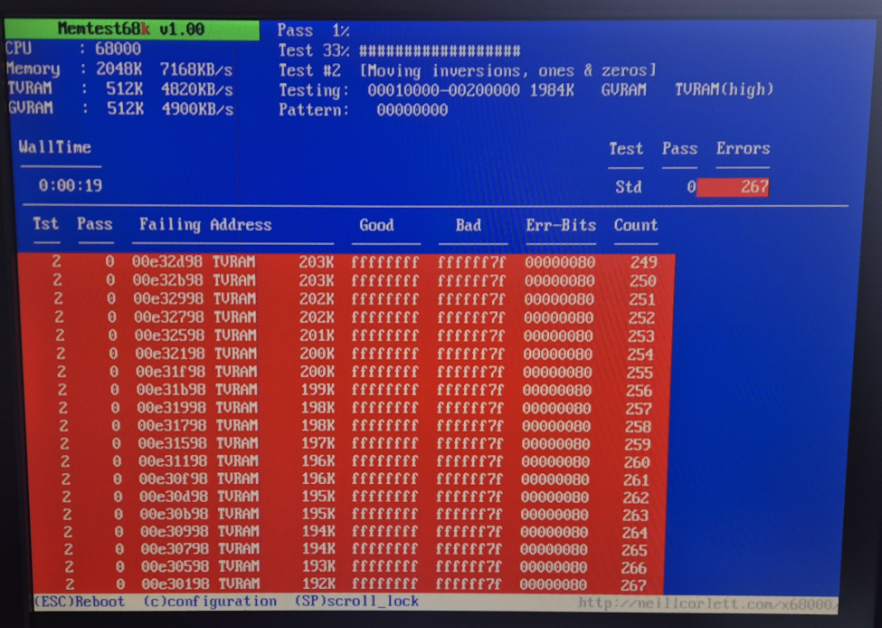
Although I bought my X68000 XVI (CZ-634C) in a tested and working condition, memtest68k reported lots of errors in the Text Video RAM (Text VRAM) address range. During normal operation of the computer, this did not immediately lead to issues, however, sometimes dotted lines randomly appeared on the screen, some games randomly crashed and others seemed to have wrong colors in the background. As it is not very easy to identify the faulty RAM chip on the motherboard, and the information out there in the internet is rare, I would like to describe my way of localizing and fixing it. Maybe it will be helpful for somebody with a similar issue. Unfortunately all the RAM chips are soldered directly to the motherboard and are painful to desolder, so you really want to make sure to replace the right one ;)
1. Identifying the faulty address range
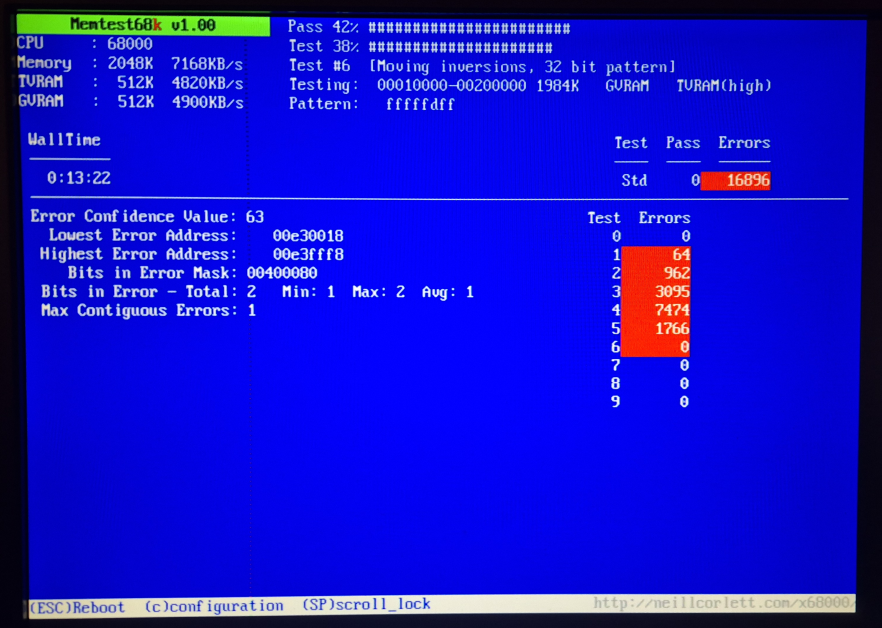
After memtest68k has finished the first pass of tests, it is very helpful to change the view to "Error summary" report mode. In this view, the program shows the lowest error address as well as the highest. It also shows the 'Bits in Error Mask', which gives a good understanding of the erroneous bits of a stored data word. In my case, memtest68k gave the following summary:
Lowest Error Address: 0x00E30018
Highest Error Address: 0x00E3FFF8
Bits in Error Mask: 0x00400080
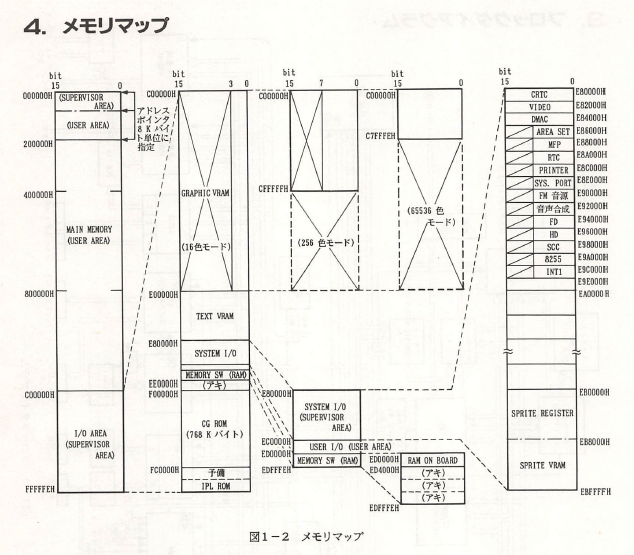
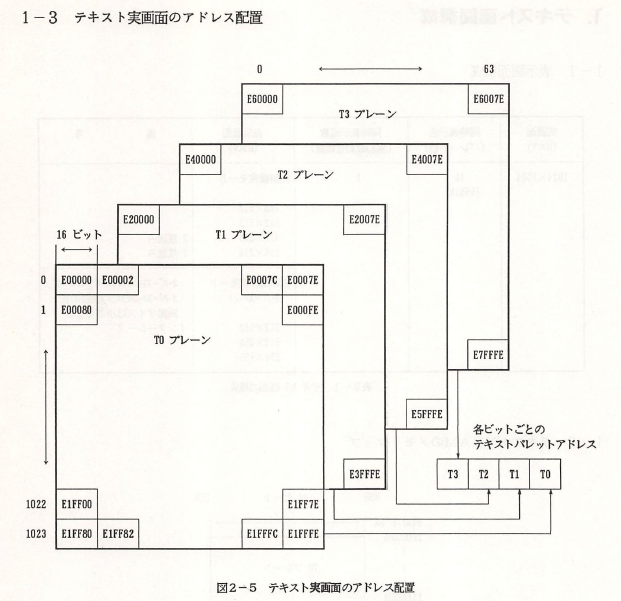
The Sharp X68000 Technical Reference Guide gets very helpful at this point to better understand the memory layout. Page 8 gives an overview of the complete memory map, confirming that the problematic address range is indeed located in the Text VRAM section. Page 12 of the document shows that the Text VRAM is split into 4 different 'planes', 'T0' to 'T3'. In my case, all of my faulty memory addresses are part of plane 'T1', which starts at 0x00E20000 and ends at 0x00E3FFFE.
As the error mask shows a 32-bit hex value, I assume that it refers to two 16-bit words (0x0040 and 0x0080). Looking at this in binary notation ('1000 0000' and '0100 0000'), it would indicate that there is a problem with the bits at position 6 and 7, either being stuck high or stuck low.
So what we know at this point is: within a certain address range of Text VRAM plane 'T1', there are faulty memory regions in which bits 6 and 7 are stuck high/low.
2. Identifying the faulty chip(s)
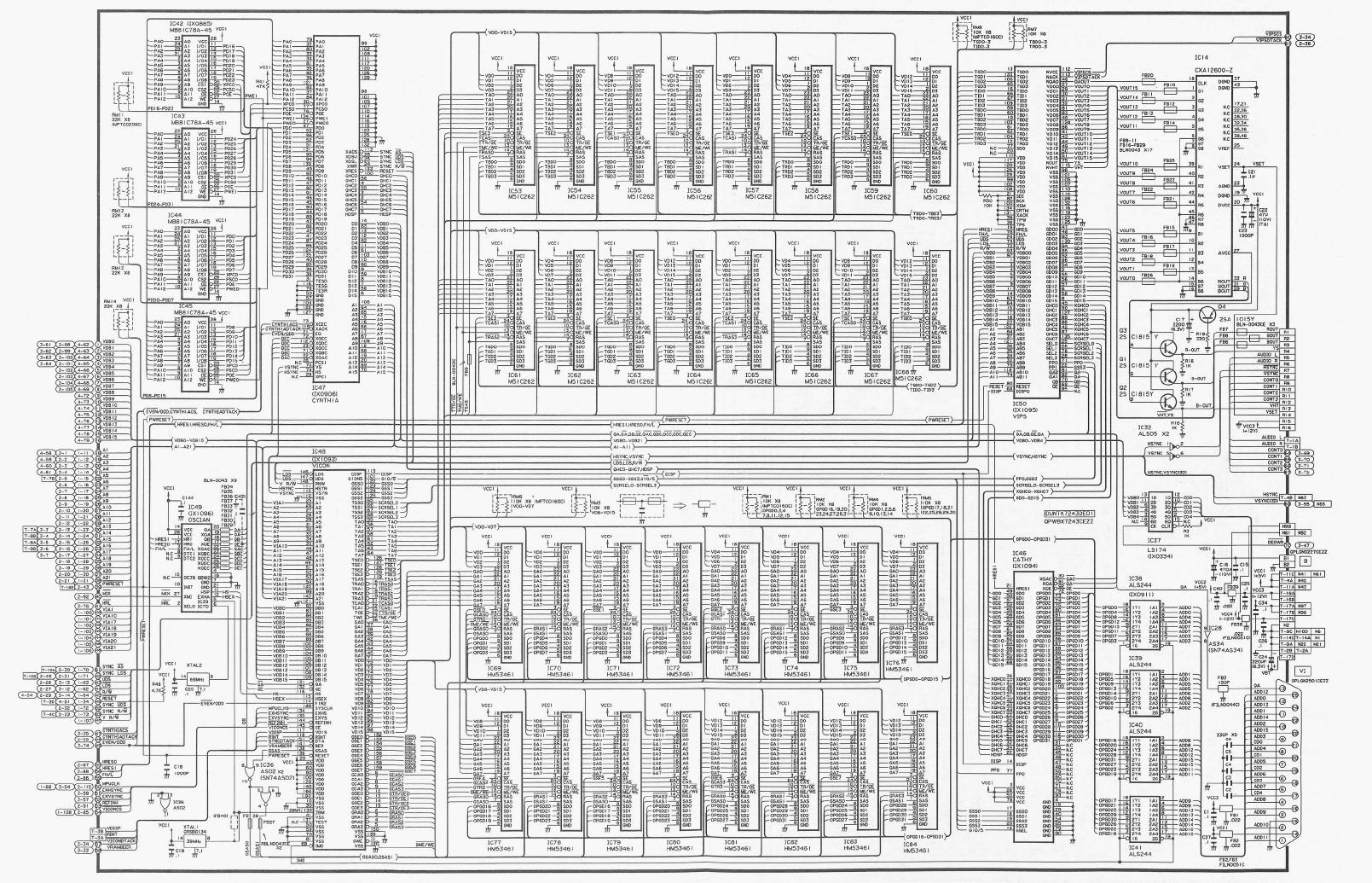
The next step is to have a look at the schematics diagrams to find hints on which parts to replace. For my X68000 XVI (CZ-634C), the schematics are part of the Sharp CZ-634C/CZ-644C Service Manual. Page 83/84 shows the Video RAM section. The CZ-634C hosts a total of 32 VRAM chips, 16 of them for a total of 512kB Text VRAM and another 16 for a total of 512kB Graphic VRAM. It is a bit tricky to find out which of them are the ones of the Text VRAM, as there is no clear hint in the schematics. However, when having a closer look at the signal names of the address lines, they are either named "TA0-7" or "GA0-7", which refers to either Text address or Graphics address. That means that in my case ICs IC53-IC68 are belonging to the Text VRAM. Now that the problem is narrowed down to 16 ICs, the next tricky part is to find out which of them are hosting the Text VRAM plane 'T1'. From a japanese blog, I found out that Sharp always numbered their ICs in the order of planes, so IC53-IC56 for 'T0', IC57-IC60 for 'T1' etc., and within a plane, each chip represents 4 data bits, starting with the LSB (Least Significant Bit) first. The schematics confirm at least the bit order, as IC53 is connected to data lines VD0-VD3, IC54 is connected to VD4-VD7 etc.
With that theory in mind, IC58 represents bits 4 to 7 of plane 'T1' and is therefore suspected to be the faulty part.
3. Finding a replacement part
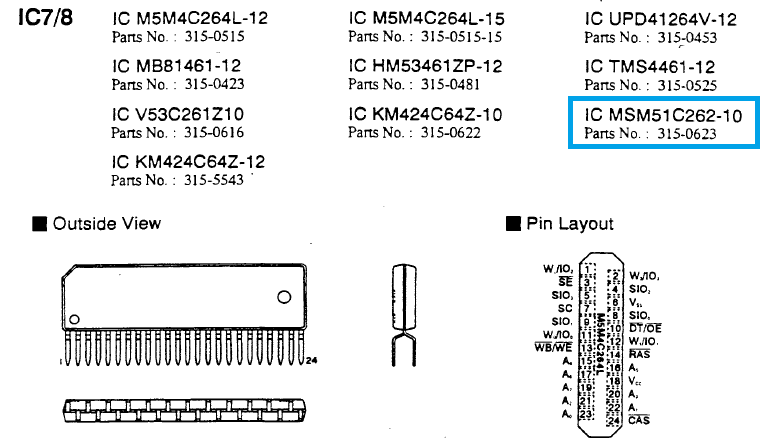
Finding a replacement for a broken VRAM chip might be the hardest challenge, as those chips have become incredibly rare. In my case, I had to look out for a replacement OKI MSM51C262-10 (100ns latency), which was luckily also used in Sega MegaDrive/Genesis II game consoles. I was incredibly lucky that someone from the VzEkC e.V. forum had an old, broken MegaDrive II board laying around that carried two of those exact chips. In the MegaDrive Maintenance Manual, Sega published a list of alternate parts, so this list might be helpful when trying to hunt down a replacement:
4. Repair and result
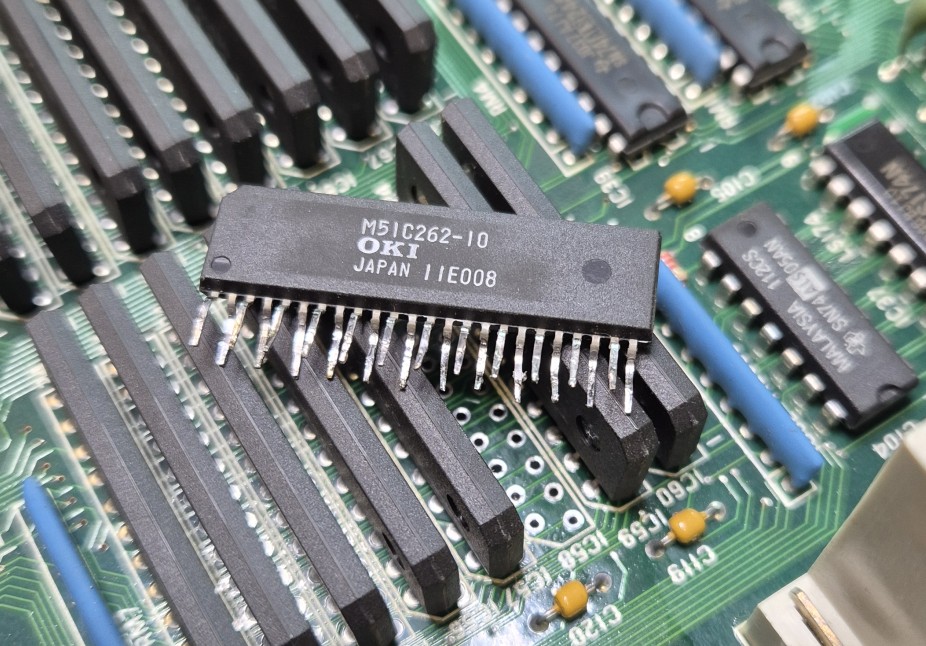
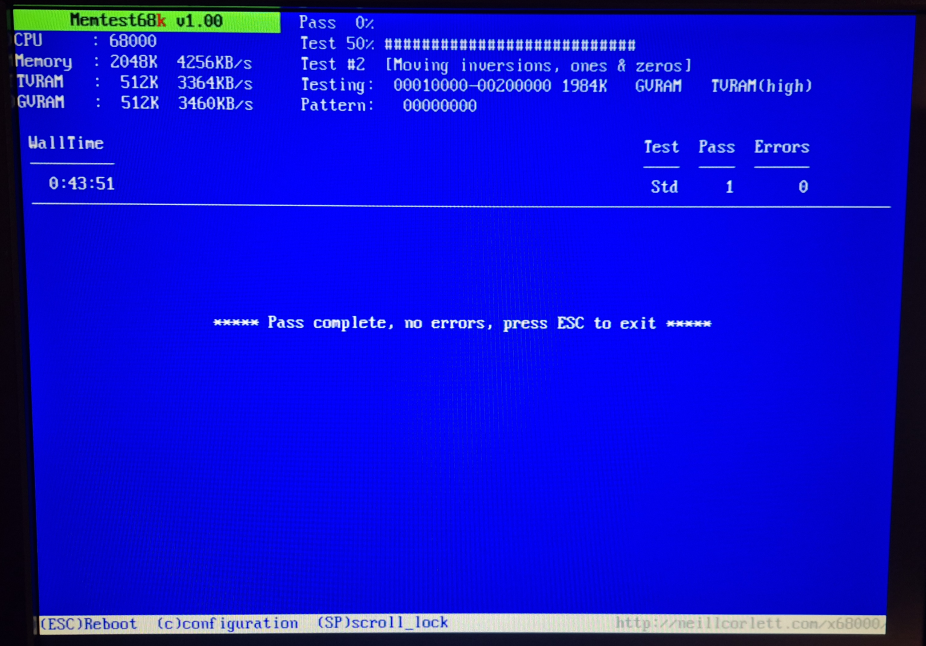
The unsocketed ZIP package of those chips is quite tough to unsolder, especially given the dense arrangement on the motherboard. I can definitely recommend the investment into a good desoldering gun. Luckily, all the effort payed out in the end, and after replacing IC58 with the donor part, all Text VRAM errors in memtest68k were gone! :)
Some links that were helpful for me to find hints and references:
https://buffis.com/old-hardware/retro-computers/sharp-x68000-vram-repair/
https://blog.toyoshima-house.net/2023/01/x68000.html
Welcome at the bottom!